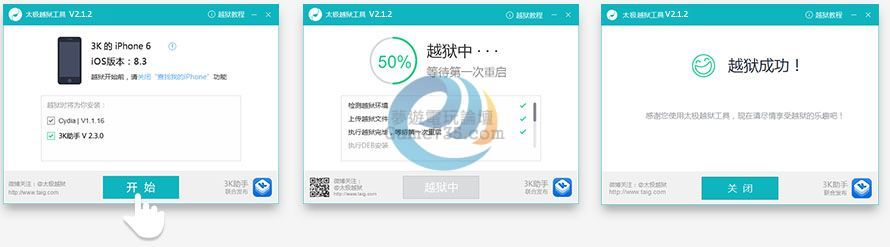
In the process of iOS 8.1.3-iOS 8.3 jailbreak, if jailbreak failed and error messages appear, you can follow instructions below for the meanings of codes and solutions.
It means your iDevice is disconnected from the computer during jailbreak. Don't do anything on your iDevice during jailbreak and keep it plugged in. Use certified cables.
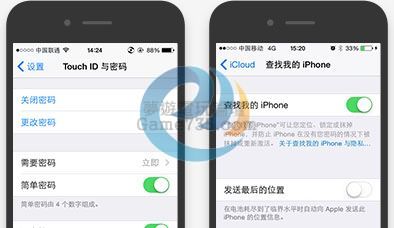
【 -1002 設備有密碼保護】
【 -1002 device with passcode on】
提示此代碼時,說明越獄的設備的密碼鎖沒有解開,請到設置->密碼中關閉密碼,然後在進行越獄操作。
It means passcode on your iDevice is turned on. To turn it off, go to Settings > Passcode.
【 -1003 程序數據被破壞】
【-1003 program data corrupted】
請到太極官網重新下載越獄工具,或者更換穩定的網絡環境。
Re-download the jailbreak tool from www.taig.com, and make sure you have a good internet connection.
【-1004越獄失敗 分為三種情況】
【-1004 Three conditions of jailbreak failure】
-1103 程序數據被破壞
-1103 program data corrupted
此問題為電腦導致,請更換一台電腦進行越獄操作。卡在 30%,首先檢查 pc 和設備上有無後台程序搶佔 cpu 資源,pc 上通過任務管理器觀察一下即可,設備可以通過重啟確認;其次連接設備的 usb 線和 pc 上的 usb 口也是影響因數之一,請嘗試換個usb 口接入和 usb 數據線。
It was caused by computer. Please try on another computer. If jailbreak is stuck at 30%, firstly check whether background programs are preempting CPU resources by observing task manager on the computer. You can reboot the device to confirm. Secondly, change USB on the computer and USB cable connecting iDevice and the computer.
-1104 越獄失敗
-1004 Three conditions of jailbreak failure
此問題為電腦導致,請更換一台電腦進行越獄操作。卡在 40%,首先檢查 pc 和設備上有無後台程序搶佔 cpu 資源,pc上通過任務管理器觀察一下即可,設備可以通過重啟確認;其次連接設備的 usb 線和 pc 上的 usb 口也是影響因數之一,請嘗試換個 usb 口接入和 usb 數據線。
It was caused by computer. Please try on another computer. If jailbreak is stuck at 40%, firstly check whether background programs are preempting CPU resources by observing task manager on the computer. You can reboot the device to confirm. Secondly, change USB on the computer and USB cable connecting iDevice and the computer.
-1105 可能是受到殺毒軟件的影響
-1105 it may be caused by antivirus software
卡在 50%,可能是受到殺毒軟件的影響。請嘗試關閉該軟件在進行越獄。
If the jailbreak is stuck at 50%, it may be caused by antivirus software. Please try after turning off it.
【-1005 設備 打開了 查找我的iphone功能】
【-1005 Find My iPhone turned on】
請在設置->iCould中關閉「查找我的iPhone」
To turn off Find My iPhone, go to Settings > iCloud.


 狗仔卡

 藍鑽
 GP


 發表於 2015-6-27 18:49:03

 提升卡
 變色卡
 千斤頂